

J
Slim, helpful and smart!
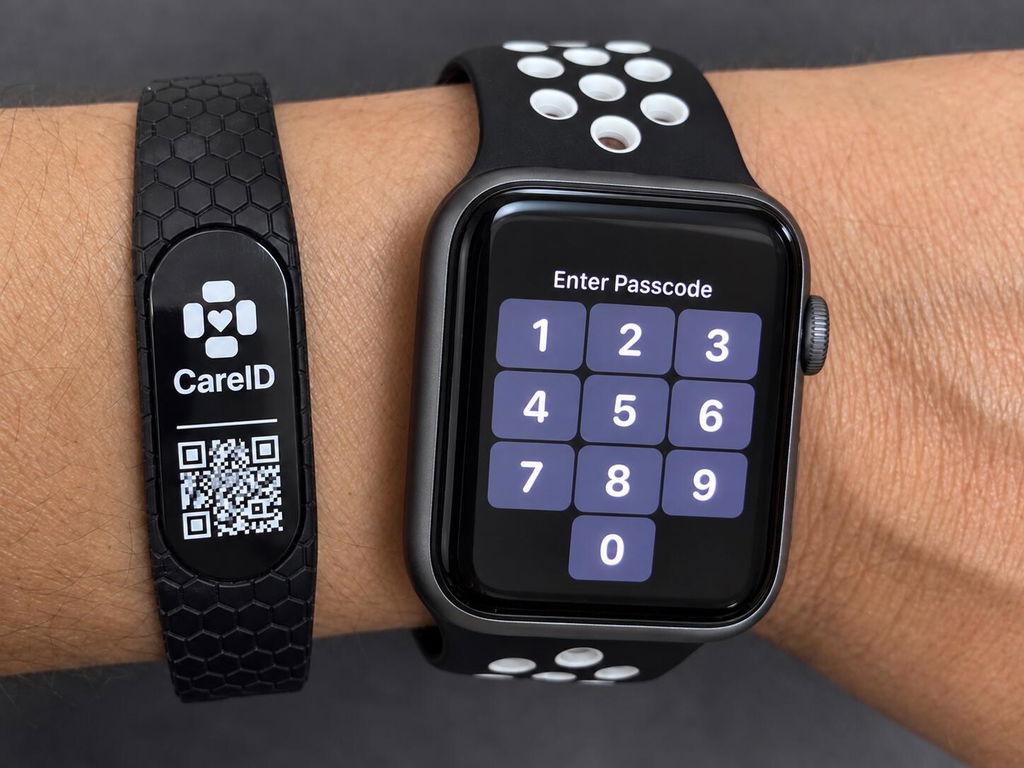
Visible QR on the outside. Inside engraving shown in the rear view.
QR emergency ID bracelet
Read the essentials. Scan for more. A visible QR code on the outside. Engraved emergency information on the inside. Keep both close, in one bracelet.
Readable engraving + Condition-Ready guidance
Start with general condition guidance. Personal medical details are not automatically included.
Choose the condition engraved on your bracelet and its matching online guide. The epilepsy images are examples.
Loading current options and availability. If they do not appear, refresh the page or contact CareID.
Want to share personal details, too?Condition-Ready™ from day one.
Personalized when you’re ready.
Choose what your CareID shares
A helper opens CareID in their phone’s browser. Compare general condition guidance with an example of optional personal information.
Explore the emergency-page example
Demo only — fictional information. Not for emergency use. Calls, messages and location are disabled here.
Personal identity, medications, allergies, and caregiver contacts have not been added.
Condition Selected for This CareID
This CareID is associated with a person who may experience seizures. Protect them from injury, time the seizure, and follow the emergency steps below.
This CareID identifies the selected condition but does not contain the person’s name, medications, allergies, caregiver contacts, or individual instructions.
CareID Connect · Personalized emergency profile
Personal emergency information chosen by the owner or caregiver.
Language: EnglishDEMO ONLY — Not connected to a real person.
Selected condition: epilepsy. Personal details below are fictional.
The selected general guide accompanies the personal information that has been published.
Condition-Ready excerpt. General guidance, without personal details.
An epilepsy example
Personalizing the online page does not change the bracelet’s physical engraving. Online information requires internet access.
Two ways to access information
Readable information on the bracelet. A QR code that opens condition guidance online. Each has a different job.

The visible QR face gives someone a place to look for more information.
Engraved emergency information is readable directly, without opening an app or loading a webpage.
A compatible phone camera opens the selected condition guide in a browser. No CareID app or responder account is needed.

The information you can read
The text engraved on the inside stays readable without internet. The QR code adds access to online guidance when a connection is available.
Epilepsy engraving example shown. Your bracelet carries the condition you select. Online personalization does not change its engraving.
For you. Or someone you care for.
Make the bracelet part of everyday preparation, not something that is only thought about in an emergency.
Review the available guide, engraving and fit information for the intended wearer before ordering.
Follow the included instructions, read the engraving and scan the physical bracelet to check what it opens.
Show the wearer and the people who support them where the QR and inside information are located.
The information physically engraved on the inside of the bracelet can be read without a phone or internet. The engraving pictured is an example. The online guide and any published personal profile require internet access.
No CareID app or responder login is needed to open the emergency page. A compatible camera phone and internet access are needed for the QR code. Owners use My CareID for setup and management.
Choose Condition-Ready for general guidance without a personal profile. Choose Personalized to include the contacts and emergency details you decide to publish through My CareID. Online personalization does not include custom personal engraving.
Shipping options and charges are shown at checkout. Preparation and carrier transit are separate. Check the shipping policy and return policy for the applicable terms before ordering.
CareID supports emergency identification and information access. It does not replace emergency services or professional medical care.
Return to your options ↑Slim, helpful and smart!